
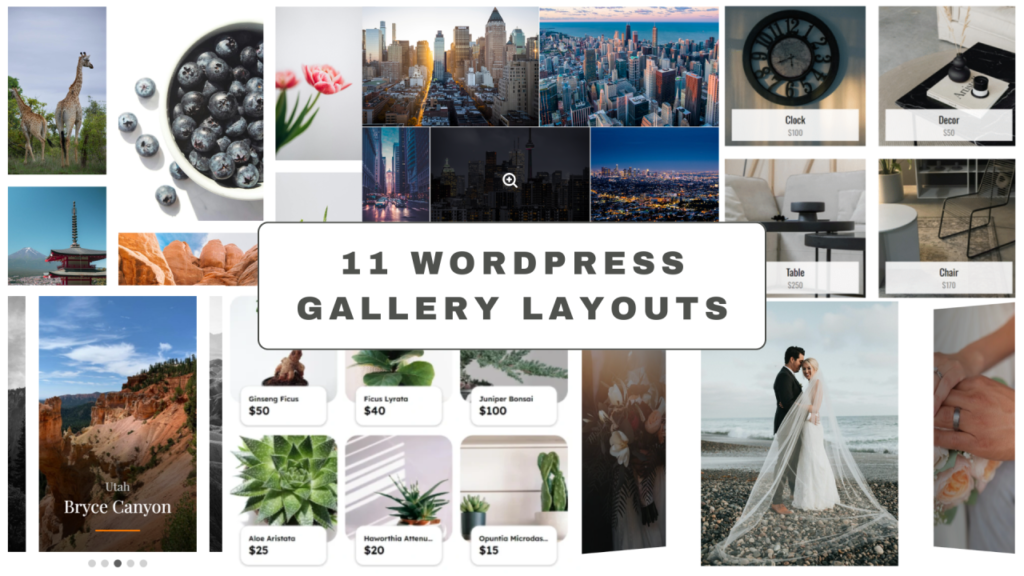
When it comes to choosing a WordPress gallery plugin for websites, most options only offer a limited set of layouts, grid, masonry, or a basic slider. But Re Gallery WordPress plugin stands out. It provides 11 gallery layouts in one plugin, making it the ideal choice for WordPress users, developers, and site owners who want to create professional image galleries, portfolio galleries, WooCommerce product galleries, or interactive photo galleries effortlessly.
Whether you’re building a WordPress portfolio, running a WooCommerce store, or creating a photography blog on WordPress, Re Gallery’s gallery layouts are fully responsive, flexible, and powered by React for lightning-fast performance. In this guide, we’ll explore each of the nine unique gallery layouts, explain their best use cases, and show you how to implement them effectively to create stunning image galleries that enhance your site’s design and user experience.
Now that you know why having multiple layout options is essential for building professional, responsive WordPress galleries, let’s dive into each of the nine layouts offered by Re Gallery. Every layout is designed to serve a different purpose
1. Grid Gallery Layout for WordPress — Clean, Compact, and SEO-Friendly
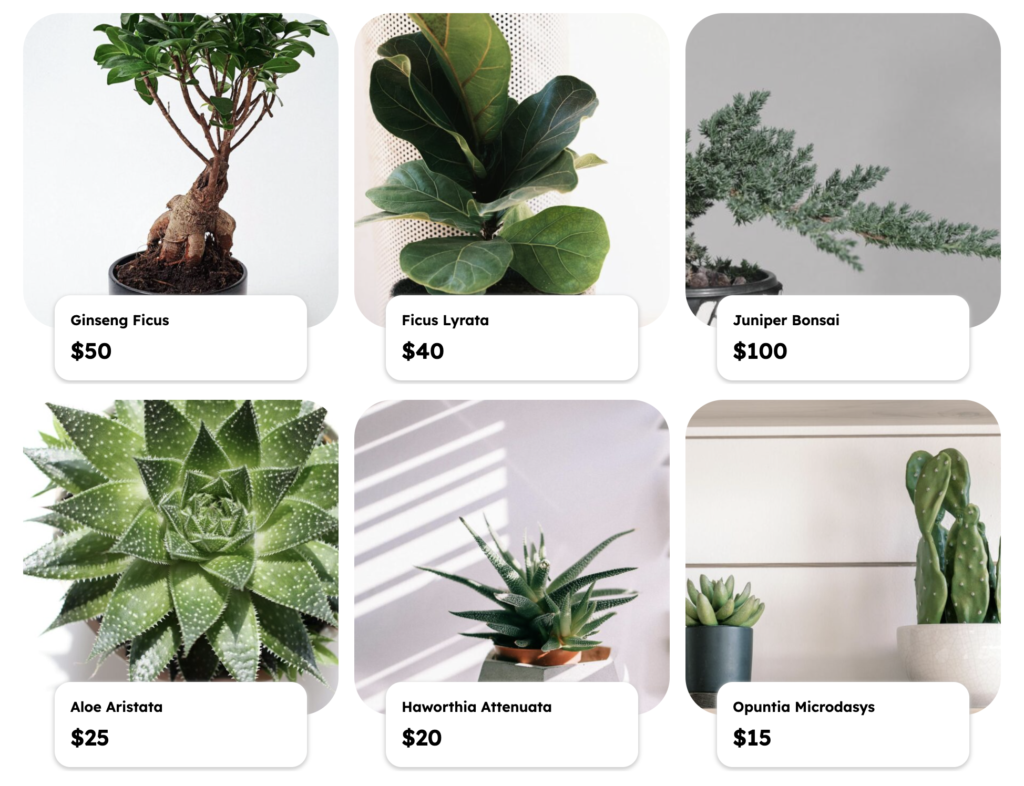
The Grid layout in Re Gallery is perfect for WordPress users looking for a clean, responsive photo gallery that balances visual appeal with performance. Instead of overwhelming visitors with oversized visuals, this layout arranges images into evenly sized, clickable previews, helping users navigate quickly and focus on what interests them most.
This layout is ideal for photographers, designers, bloggers, and WooCommerce store owners who need to display a large number of images without slowing down their WordPress website. Whether you’re creating a WordPress photography portfolio, product catalog, or visual blog gallery, the Grid layout keeps your galleries lightweight, responsive, and professional-looking.
Re Gallery’s Grid layout includes advanced text options, giving you full control over how additional information appears in your WordPress galleries:
- Show image titles, captions, or descriptions directly under thumbnails for added context.
- Display EXIF data or custom metadata to highlight technical details — perfect for professional photographers.
- Add SEO-friendly alt text and schema markup automatically, improving your WordPress site’s search engine rankings.
- Use product price, creation date, or author to mention important information inside the gallery view.
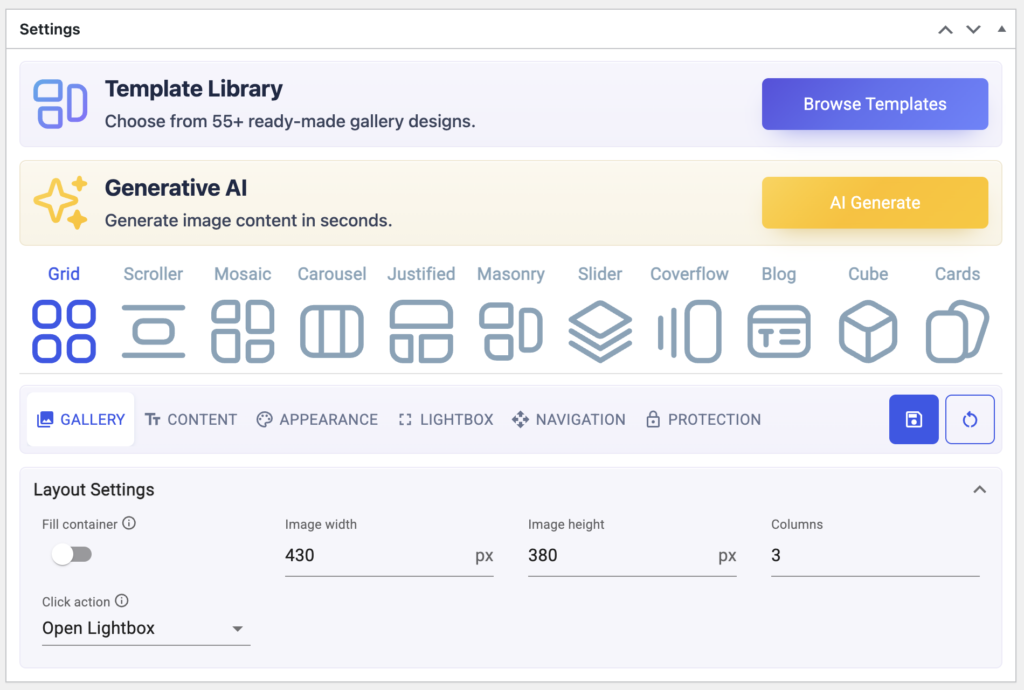
With these features, you’re not just displaying images, you’re turning your WordPress gallery into an SEO-friendly, information-rich visual showcase while keeping it fast, responsive, and user-friendly.
2. Mosaic Gallery Layout for WordPress — Dynamic, Creative, and Fully Responsive
The Mosaic layout in Re Gallery is designed for WordPress users who want a visually dynamic photo gallery that breaks free from rigid grids. Instead of forcing all images into identical sizes, Mosaic automatically arranges them in an artistic, free-flowing layout that adapts beautifully to your content. The result? A gallery that feels alive, modern, and highly engaging.

This Mosaic gallery layout for WordPress is perfect for photographers, creative agencies, portfolio designers, and bloggers who need to show images in varying dimensions without cropping or distortion. WooCommerce store owners can also use Mosaic to display featured products, collections, and look books in an eye-catching, mobile-responsive gallery that maintains lightning-fast load speeds for better SEO performance and user experience. Whether you’re creating a WordPress photography portfolio, art gallery website, or visual storytelling blog, the Mosaic layout helps your gallery stand out, stay responsive, and fully optimized for speed and search engines.
Like all layouts in Re Gallery, the Mosaic layout includes advanced features to enrich your images with meaningful details and SEO-friendly metadata:
- Add titles, captions, or short descriptions to guide users through your gallery.
- Highlight EXIF data or custom metadata to showcase technical details for each image.
- Insert SEO-friendly alt text and schema markup automatically to boost your WordPress website’s search visibility.
- Overlay custom labels to display prices, release information, or featured tags, ideal for WooCommerce galleries.
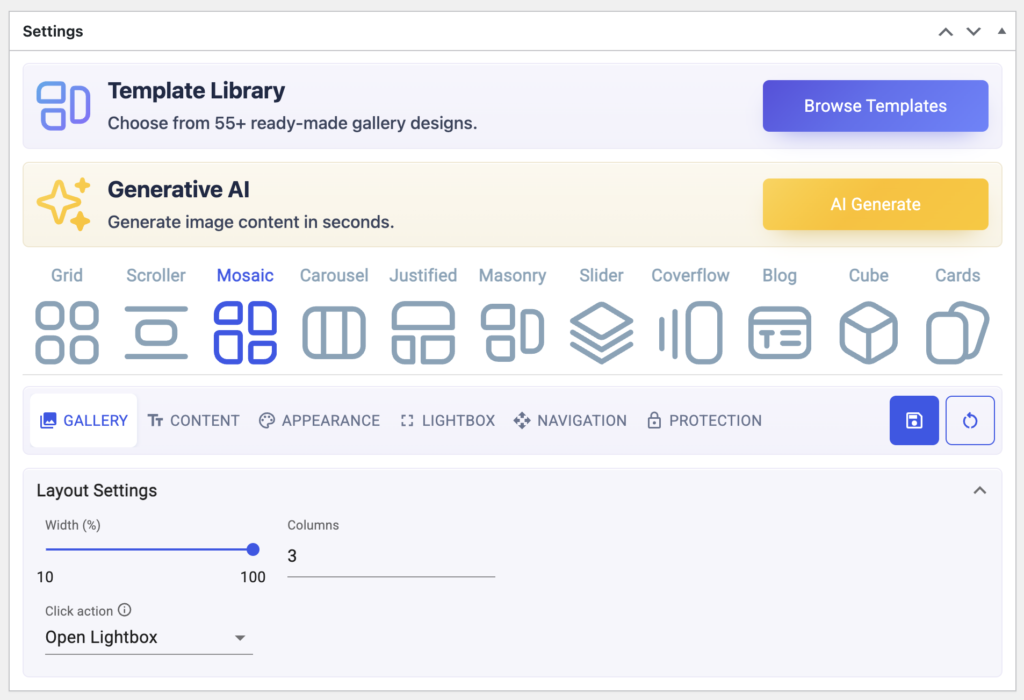
With Re Gallery’s Mosaic layout, you’re not just creating a visually stunning WordPress gallery; you’re delivering an immersive, SEO-optimized user experience that adapts seamlessly to any screen size.
3. Masonry Gallery Layout for WordPress — Modern, Flexible, and Perfectly Aligned
The Masonry gallery layout in WordPress is ideal for photographers, designers, bloggers, and creative professionals who want a modern, Pinterest-style image grid. Unlike uniform layouts, Masonry automatically adjusts image heights while keeping consistent column widths, creating a visually dynamic and elegant gallery design.
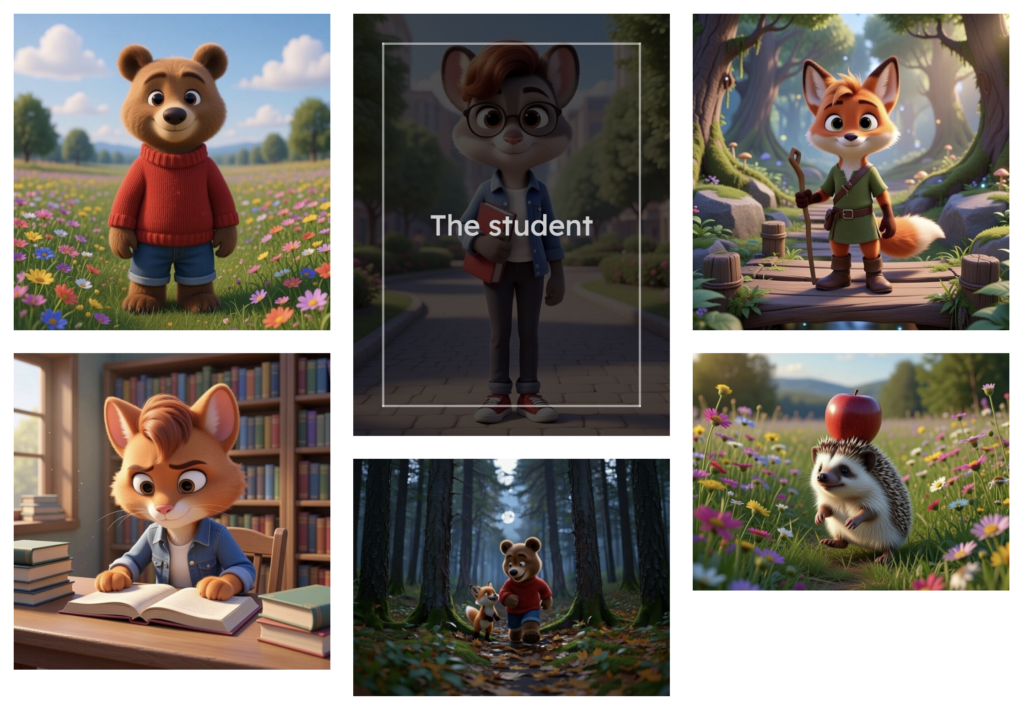
This layout works beautifully for WordPress photography portfolios, travel blogs, art showcases, or WooCommerce product galleries, where visual variety is essential but performance cannot be compromised. With Re Gallery’s optimized React-powered engine, Masonry galleries load fast, stay fully responsive on all devices, and are SEO-friendly right out of the box.
Masonry supports advance text options, enabling you to:
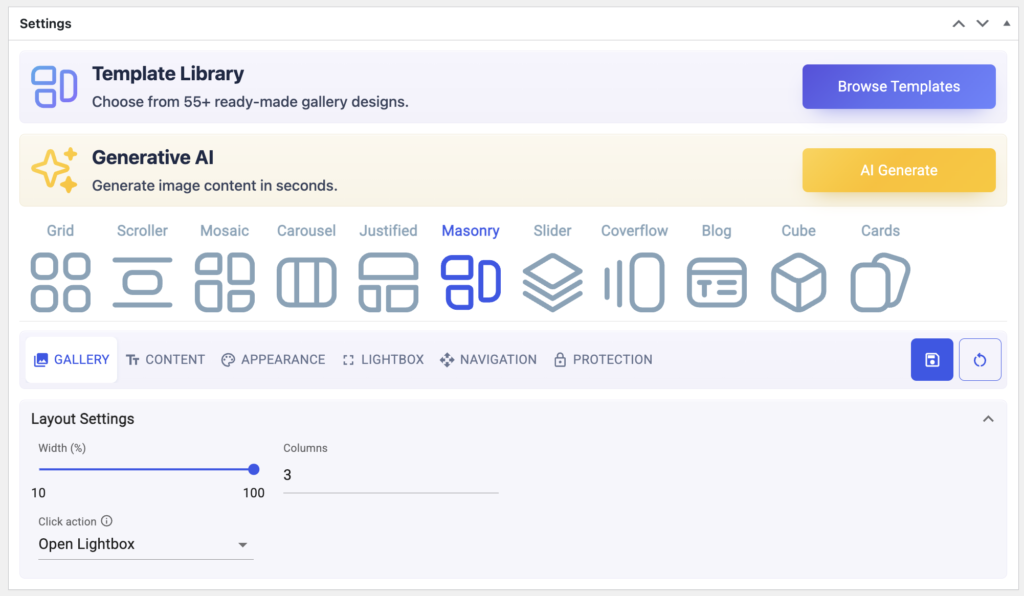
4. Justified Gallery Layout for WordPress — Balanced, Elegant, and Easy to Browse
The Justified gallery layout in WordPress is perfect for photographers, content creators, agencies, and WooCommerce store owners who want images displayed in perfectly aligned rows with consistent spacing. Unlike irregular grids, the Justified layout keeps your gallery balanced and professional, ensuring that every photo retains its original aspect ratio without awkward cropping or distortion.
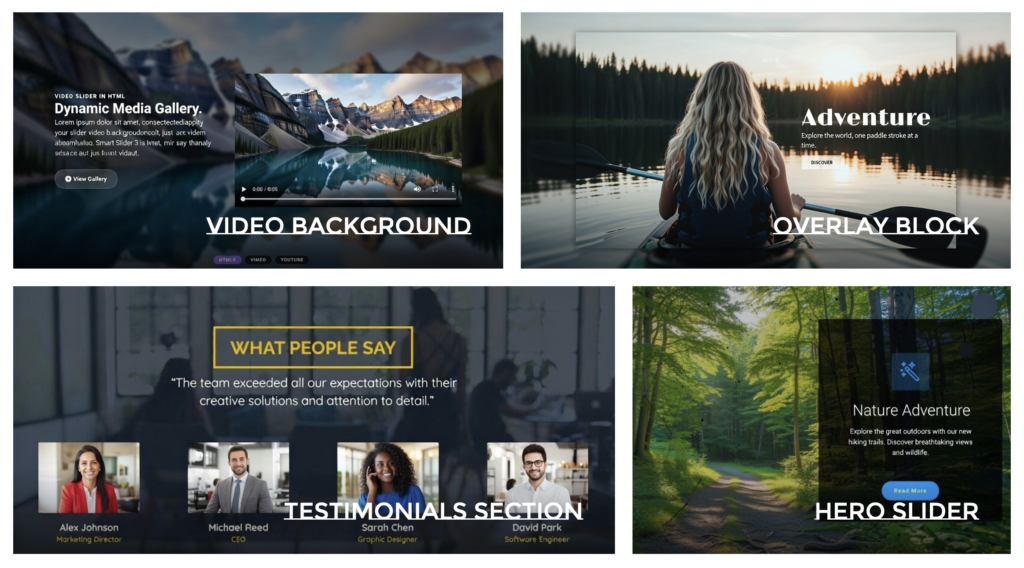
This layout is ideal for WordPress photography portfolios, visual blogs, creative showcases, or online shops that need to present high-quality images while maintaining a clean, organized look. With Re Gallery’s React-powered performance, Justified galleries are lightweight, fully responsive, SEO-optimized, and fast-loading on all devices.
Re Gallery enhances this layout with advanced text features, allowing you to:
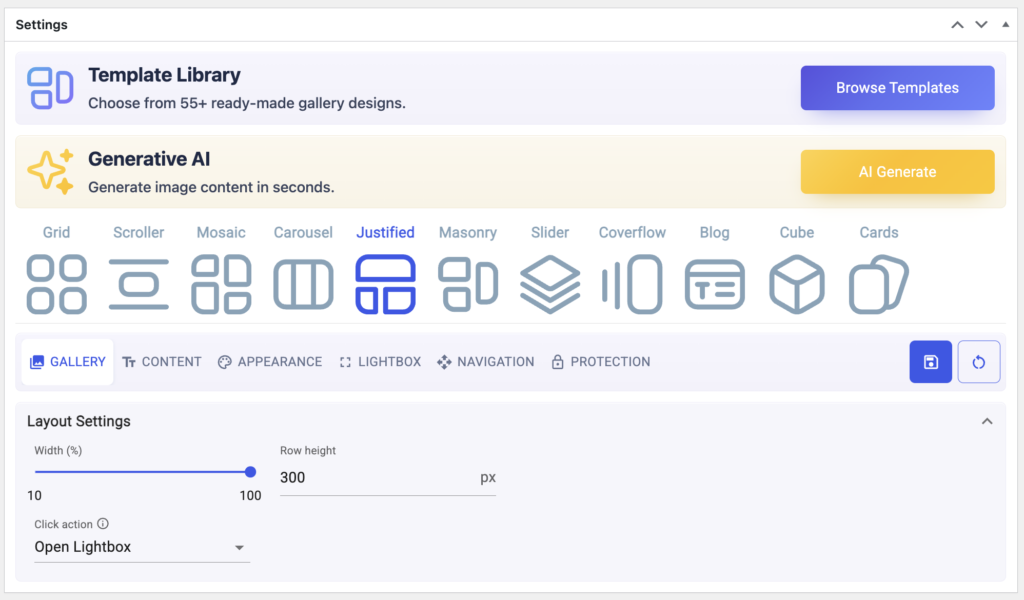
The Justified layout combines precision with aesthetics, helping your WordPress gallery look polished while delivering a smooth browsing experience that keeps visitors engaged.
5. Slider Gallery Layout for WordPress — Dynamic, Interactive, and SEO-Optimized
The Slider layout in Re Gallery is perfect for WordPress users who want to present images one at a time in a highly engaging, full-screen experience. Rather than overwhelming visitors with dozens of thumbnails, a WordPress slider gallery guides users through your images at their own pace, with smooth transitions, swipe navigation, and built-in autoplay.
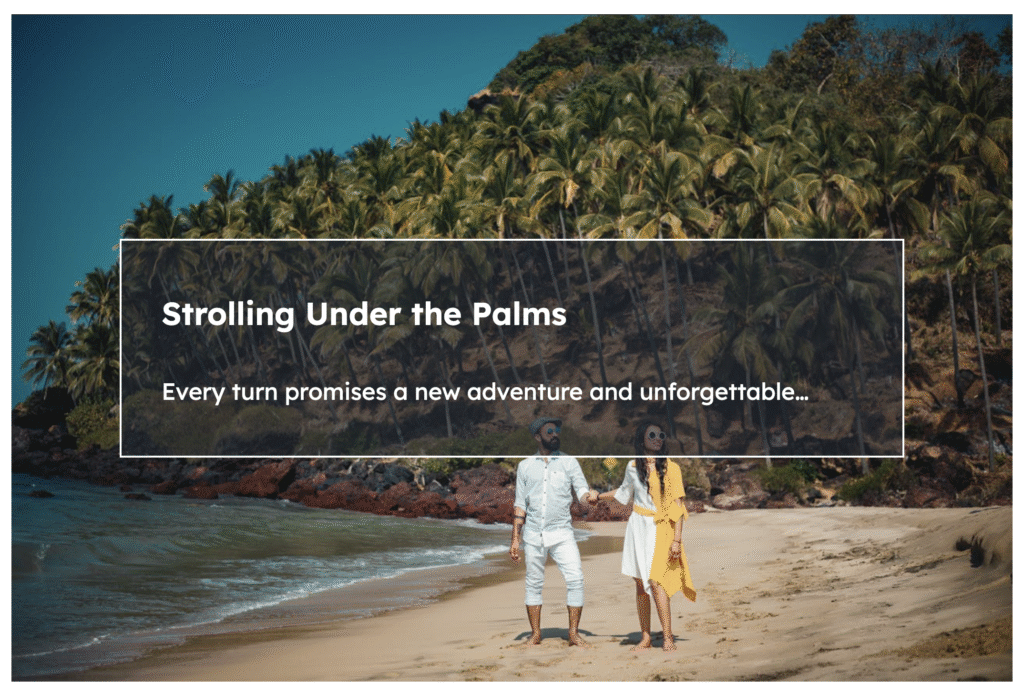
This layout is ideal for photographers, creative agencies, and bloggers who want to create immersive storytelling galleries, as well as WooCommerce store owners looking to highlight featured products in an elegant, distraction-free view. Whether you’re building a WordPress photography portfolio, product showcase, or event presentation, the Slider layout makes your content memorable while staying fully responsive and lightning-fast.
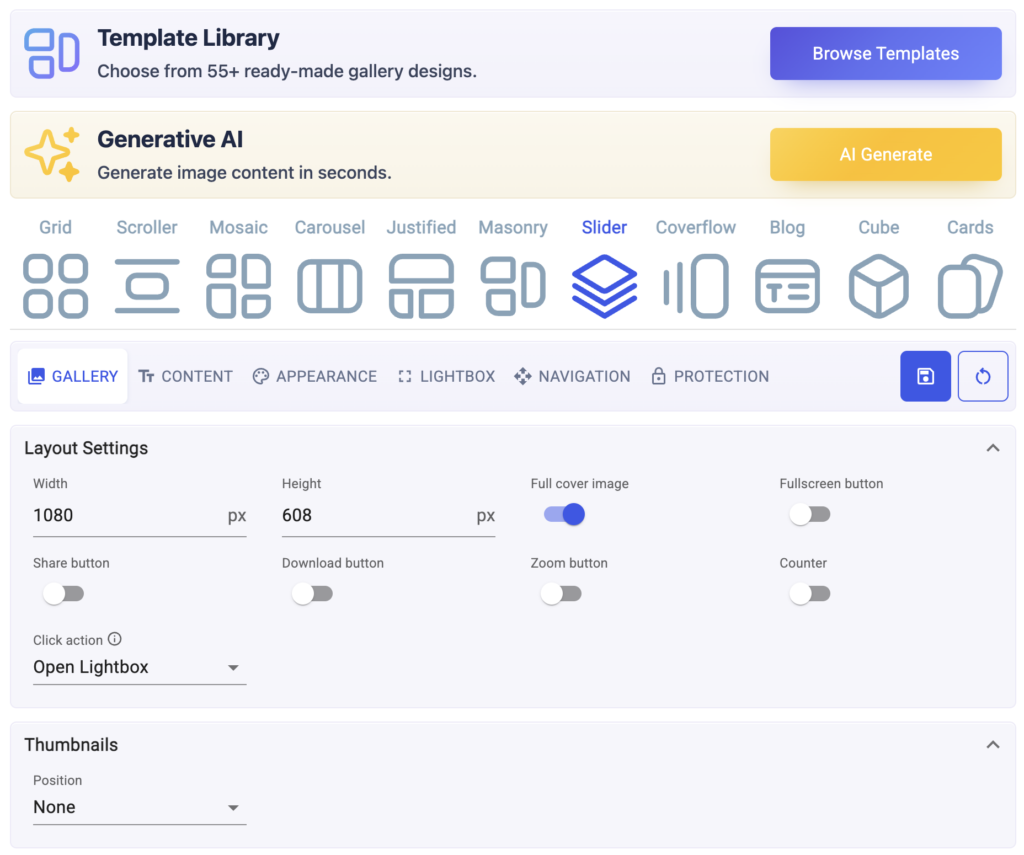
The Slider layout includes advanced features that go beyond simple image display.
Moreover, you can even customize the thumbnails options for your gallery.
6. Cube Gallery Layout for WordPress — 3D, Interactive, and SEO-Friendly
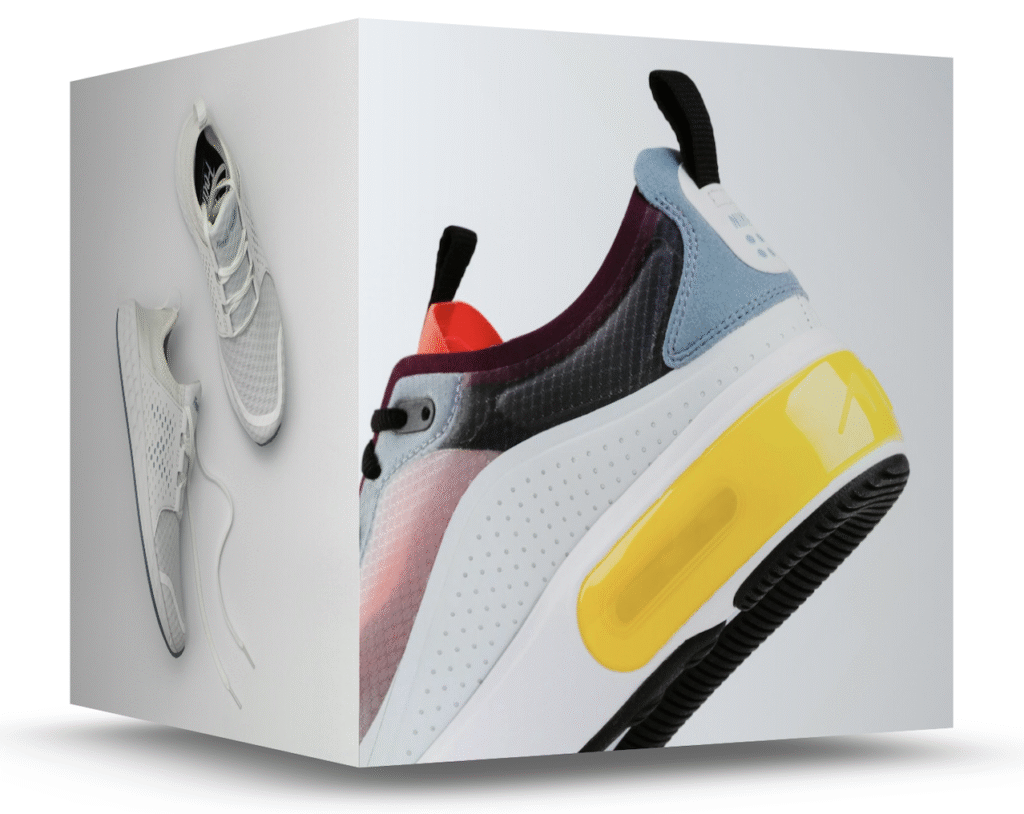
The Cube Layout transforms your gallery into a sleek, three-dimensional experience. Each image appears as a “face” of a rotating cube, making your gallery highly interactive and visually striking. This layout is ideal for portfolios, product showcases, or any collection where you want to grab attention with motion and depth.
Advanced features include:
- 3D rotation effects – Smooth cube rotation on hover or click for an engaging user experience.
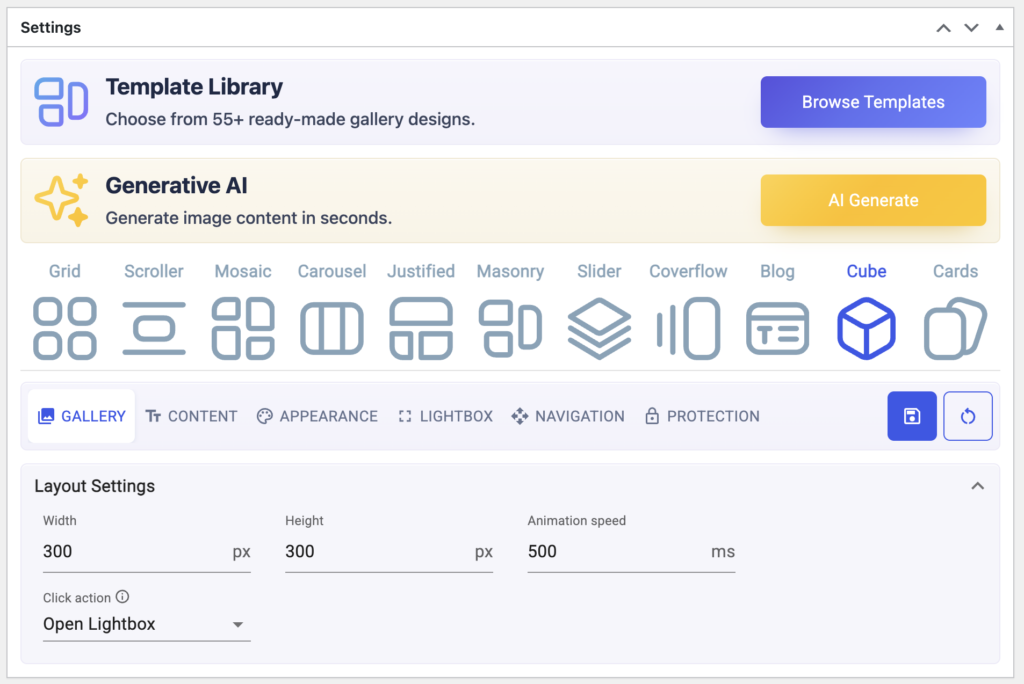
- Image click actions – Set what happens when a user clicks an image: open a lightbox, go to a custom URL, or do nothing.
- Autoplay & manual controls – Let the cube rotate automatically or give users full control.
- Responsive design – Cube adapts seamlessly across desktop, tablet, and mobile.
7. Carousel Gallery Layout for WordPress — Sleek, Scrollable, and Interactive
The Carousel Layout offers a sleek, horizontally scrolling gallery that delivers a dynamic visual experience. Perfect for WordPress portfolios, product showcases, client galleries, and creative collections, this layout allows visitors to navigate through images effortlessly in a continuous, engaging flow.
This layout is especially useful for photographers, designers, e-commerce store owners, agencies, and bloggers who want to present their visual content in a professional, interactive, and responsive way. By combining autoplay, looping, and responsive design, the Carousel ensures your gallery looks great on desktop, tablet, and mobile devices.
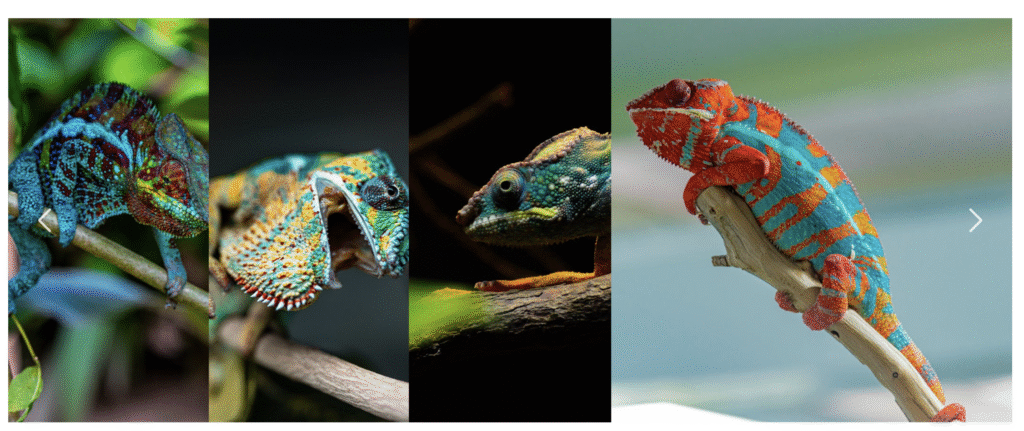
Key features include:
- Autoplay & loop options – Automatically scroll images or allow manual control.
- Navigation controls – Add arrows, dots, or swipe gestures for smooth navigation.
- Image click actions – Open a lightbox, go to a custom URL, or do nothing.
- Responsive & SEO-friendly – Optimized for fast loading and search visibility.
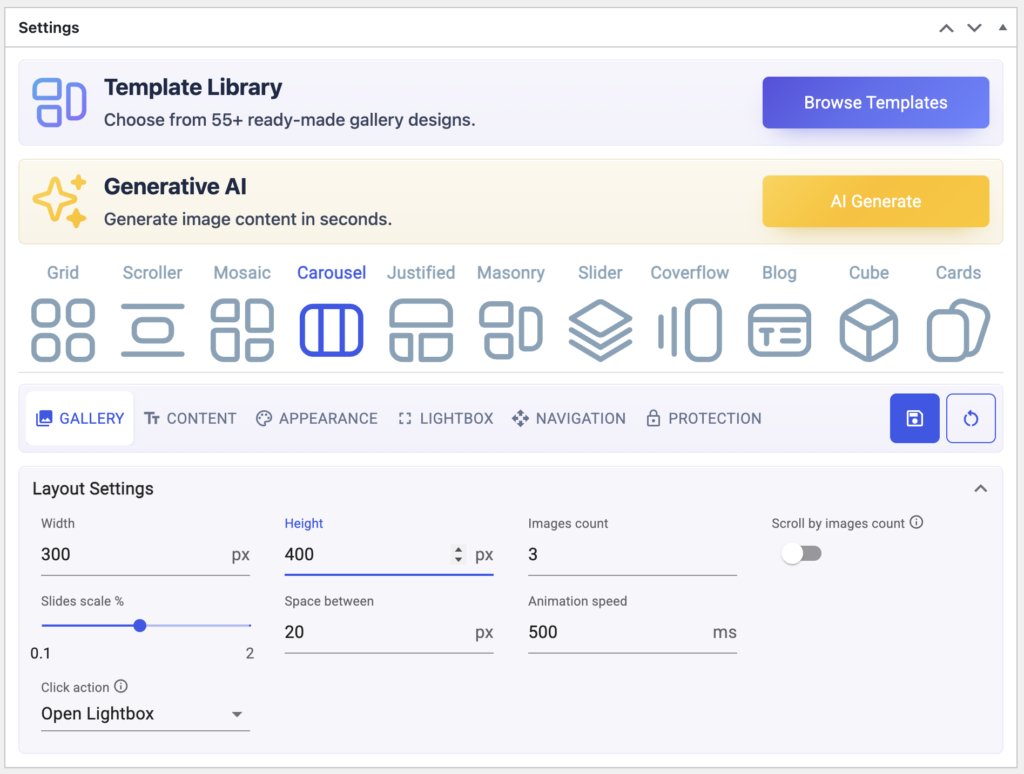
8. Cards Gallery Layout for WordPress — Modern, Interactive, and Metadata-Ready
The Cards Layout in this plugin brings a modern, visually appealing way to show your images. Each image is displayed as a “card,” which can include a title, description, or even custom metadata. This layout is perfect for portfolios, product showcases, or any gallery where you want content and visuals to stand out together.

Advanced features include:
- Image click actions – Decide what happens when a visitor clicks a card: open a lightbox, go to a custom URL, or do nothing.
- Lightbox integration – View images in a full-screen, interactive lightbox for a smooth and immersive experience.
- Responsive resizing – Cards automatically adapt to desktop, tablet, and mobile screens, ensuring a perfect display across all devices.
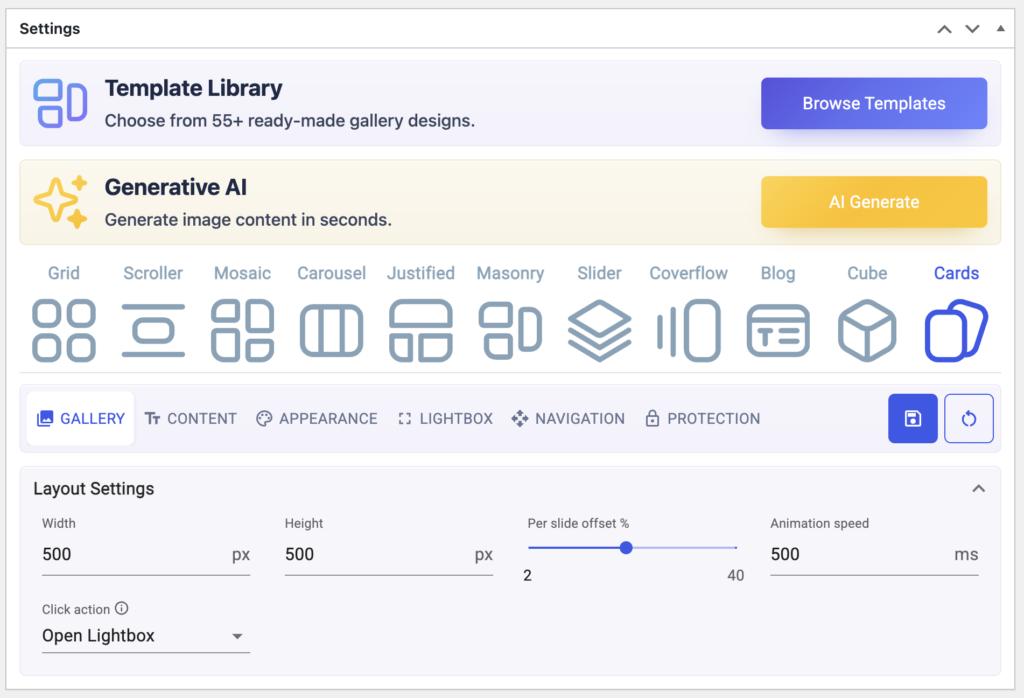
This layout is ideal for photographers, designers, agencies, e-commerce sites, and bloggers who want to present images interactively and professionally, while keeping galleries user-friendly and visually engaging.
9. Blog Gallery Layout for WordPress — Content-Focused, Engaging, and SEO-Optimized
The Blog Layout is perfect for WordPress users who want to showcase images alongside captions, metadata, and post excerpts in a clean, organized format. Ideal for bloggers, content creators, agencies, and WordPress websites, this layout combines visual storytelling with informative content to keep readers engaged.
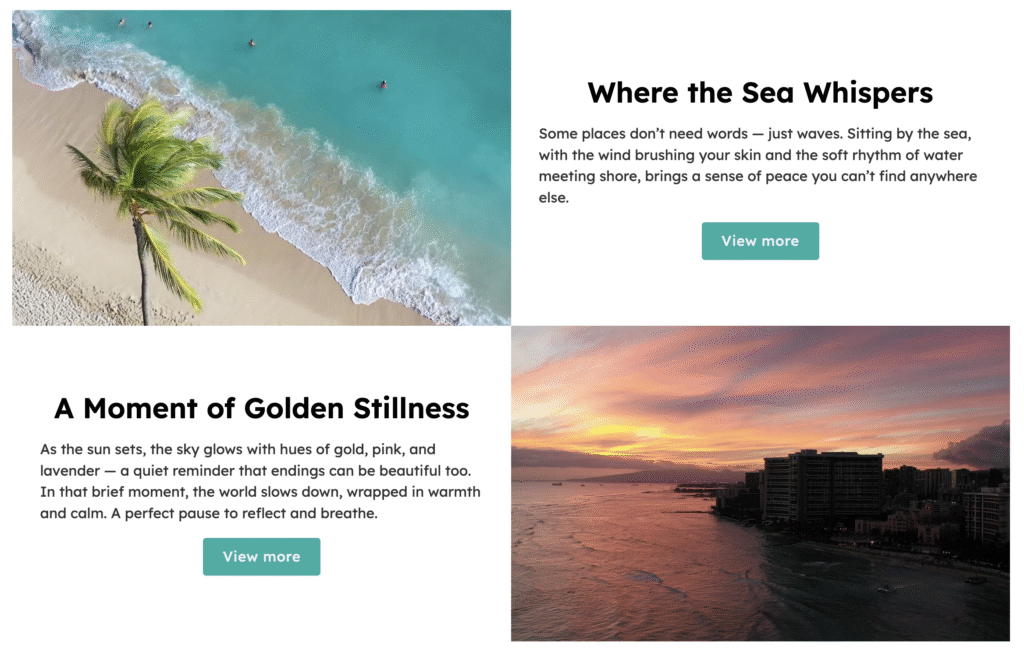
Advanced Features:
- Image Click Actions: Customize user interactions by setting images to open in a lightbox, navigate to a custom URL, or remain static, offering flexibility in user experience.
- Responsive Design: Ensures your gallery adapts beautifully across desktop, tablet, and mobile devices, providing a consistent and engaging experience for all users.
- SEO-Friendly Structure: Optimized for search engines, the Blog Layout enhances your site’s visibility by properly structuring content and metadata, aiding in better search rankings.
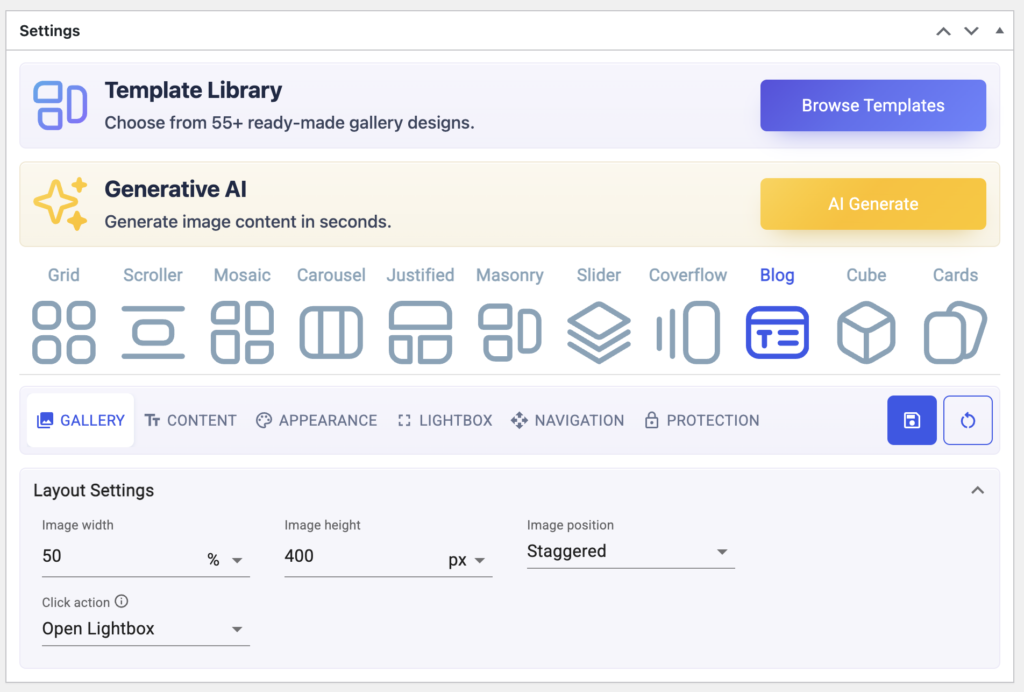
Who Should Use the Blog Layout:
- WordPress Bloggers – Create visually appealing blog posts with images, captions, and excerpts seamlessly integrated to engage readers and improve SEO.
- Photographers & Portfolio Creators – Showcase professional photo portfolios, galleries, and image collections with descriptive captions, metadata, and lightbox support.
- Creative Agencies & Digital Studios – Present case studies, project showcases, and client galleries with detailed visuals and accompanying information to impress clients.
- Content Creators & Influencers – Share tutorials, reviews, guides, or storytelling content that combine high-quality imagery with informative text for better engagement and search visibility.
The Blog Layout not only enhances the aesthetic appeal of your WordPress site but also improves user engagement and SEO performance, making it a valuable tool for anyone looking to present their content in a structured and visually appealing format.
10. Scroller Gallery Layout for WordPress – Create Smooth, Interactive Image Galleries
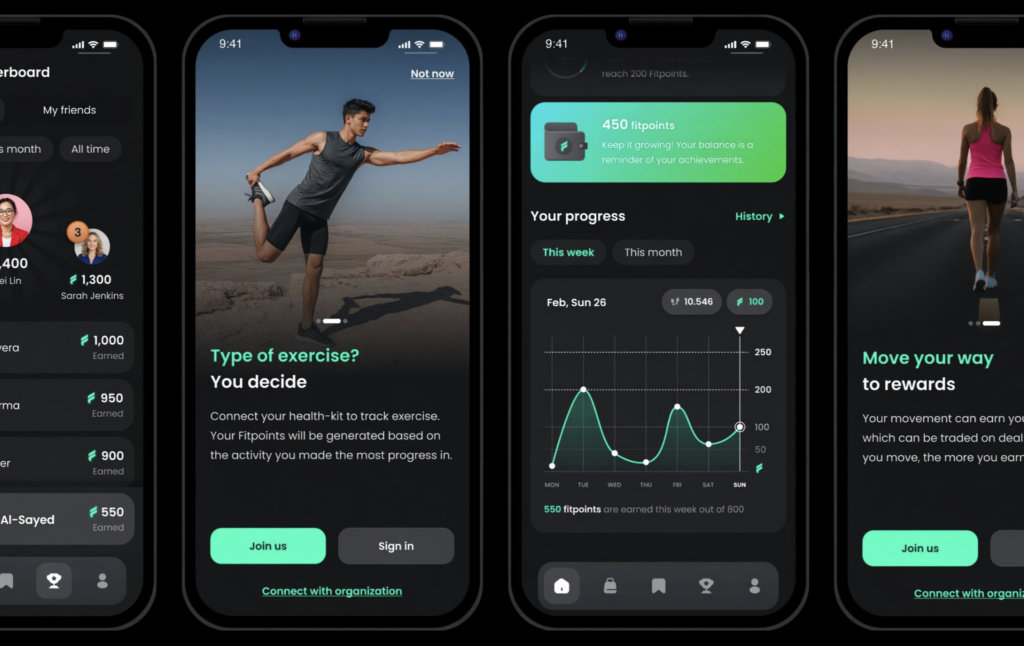
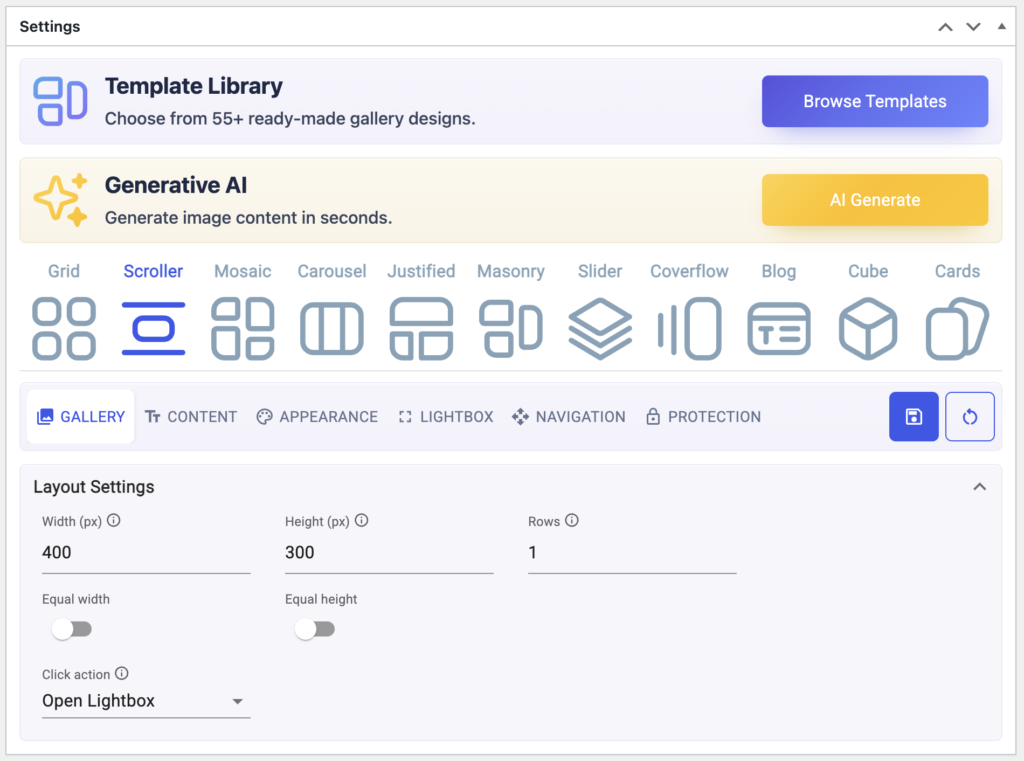
The Scroller Gallery Layout in Re Gallery makes it easy to create a modern, interactive WordPress image gallery that visitors can browse with effortless horizontal scrolling. Instead of displaying dozens of images in a fixed grid, the Scroller layout provides a clean, continuous experience that keeps users engaged while saving valuable page space.
If you’re looking for a WordPress gallery plugin that offers unique layouts beyond the standard grid, the Scroller layout is an excellent choice. It’s perfect for photographers, bloggers, agencies, WooCommerce stores, and businesses that want to showcase images in a visually appealing and user-friendly way.
Key Features
- Smooth horizontal or vertical scrolling for a modern browsing experience.
- Fully responsive layout optimized for desktop, tablet, and mobile devices.
- Built-in support for image titles, captions, and descriptions.
- SEO-friendly image attributes, including customizable alt text.
- Lightbox integration for viewing full-size images.
- Custom links for turning gallery images into clickable destinations.
- Fast-loading design that helps maintain website performance.
- Compatible with popular WordPress page builders and WooCommerce.
Best Use Cases
The Scroller layout is ideal for:
- Photography websites displaying portfolios and albums.
- WooCommerce stores showcasing featured products or collections.
- Travel and lifestyle blogs presenting visual stories.
- Creative agencies and freelancers highlighting client projects.
- Business websites looking to create engaging image galleries without cluttering pages.
By combining speed, responsiveness, and an intuitive user experience, the Scroller layout helps improve visitor engagement while supporting SEO best practices for WordPress websites.
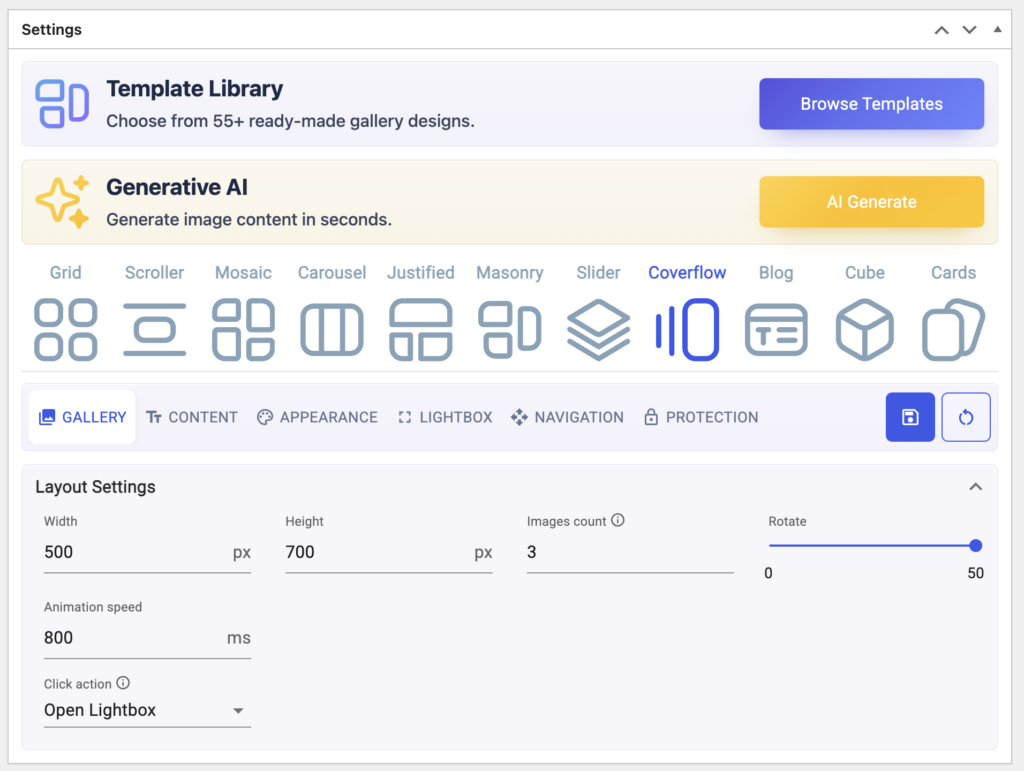
11. Coverflow Gallery Layout for WordPress – Showcase Images with a Premium 3D Effect
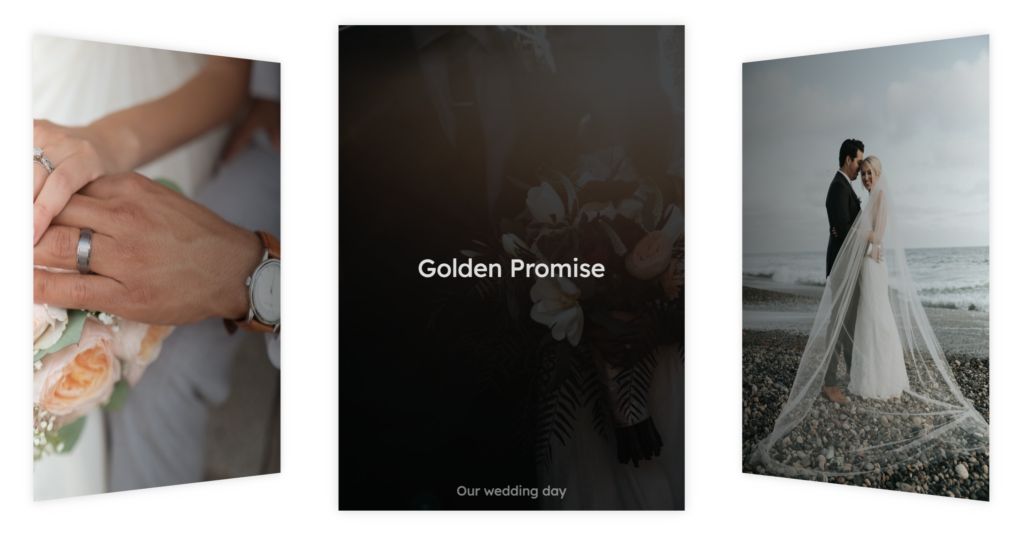
The Coverflow Gallery Layout transforms a standard WordPress photo gallery into an interactive experience by displaying images in a stylish carousel with a three-dimensional effect. The featured image remains front and center while surrounding images are elegantly angled, encouraging visitors to browse through your gallery.
For WordPress users who want to build visually impressive portfolios or product showcases, Coverflow offers a memorable presentation that stands out from traditional gallery layouts.
Key Features
- Interactive Coverflow-style navigation with smooth transitions.
- Responsive design that works seamlessly across all screen sizes.
- Integrated lightbox support for larger image previews.
- Optional captions, titles, and descriptions for enhanced accessibility.
- SEO-friendly image handling with support for alt text.
- Clickable images that can link to products, landing pages, or external websites.
- Optimized for fast loading and excellent user experience.
- Compatible with WooCommerce, portfolios, blogs, and business websites.
Best Use Cases
The Coverflow layout works especially well for:
- WordPress portfolio websites showcasing creative work.
- WooCommerce product galleries highlighting featured items.
- Photography businesses presenting premium collections.
- Design studios and agencies displaying case studies and visual projects.
- Personal blogs and brand websites seeking a more engaging image presentation.
If you’re searching for the best WordPress gallery plugin with advanced layouts, the Coverflow option delivers a polished and interactive experience that helps increase engagement, keeps visitors exploring your content longer, and enhances the overall look of your website.
Why Re Gallery Is the Best WordPress Gallery Plugin
- 11 gallery layouts in one plugin – Say goodbye to juggling multiple plugins. From Grid and Masonry to Cube and Blog layouts, Re Gallery covers every design need.
- React-powered performance – Fast-loading, smooth, and fully responsive galleries that work seamlessly across desktop, tablet, and mobile.
- SEO-friendly image galleries – Automatically generate titles, alt text, captions, and schema markup to boost your WordPress site’s search engine visibility.
- Easy customization – Adjust spacing, borders, thumbnail sizes, and layout settings without writing a single line of code.
- WooCommerce-ready – Convert your galleries into interactive product showcases with prices, buy buttons, and custom links.
- Live demo & pre-built templates – Test layouts and functionality instantly with live demos, and save time with professionally designed, pre-built templates that you can import and customize for your site.
- AI-powered tools – Automatically generate titles, alt text, captions, and descriptions, and include SEO-friendly structured data to make your galleries smarter and more search-optimized.
Choosing the best WordPress gallery plugin depends on your website’s goals, but if you want multiple layouts, modern design, AI-powered features, and WooCommerce compatibility, it’s worth comparing the available options.
While plugins like Envira Gallery, NextGEN Gallery, and Photo Gallery by 10Web have been popular choices for years, Re Gallery focuses on combining flexibility, performance, and ease of use in a single solution. With support for 11 gallery layouts, AI-generated image titles and alt text, advanced filtering, lightboxes, and responsive designs, it helps WordPress users create professional galleries without additional complexity.
Re Gallery vs Envira, NextGEN & 10Web
| Feature | Re Gallery | Envira | NextGEN | Photo Gallery |
|---|---|---|---|---|
| Gallery layouts | 11 layouts | Limited | Limited | Limited |
| AI image SEO (titles/alt) | ✅ | ❌ | ❌ | ❌ |
| WooCommerce support | ✅ | ✅ | ✅ | ❌ |
| Performance optimized | ✅ | ⚠️ | ⚠️ | ⚠️ |
| Advanced layouts (Coverflow / Scroller) | ✅ | ❌ | ❌ | ❌ |
| Beginner-friendly | ✅ | ✅ | ⚠️ | ✅ |