
Cards Gallery for WordPress – Overview
A cards-style gallery is a clean and modern way to organize visual content on your WordPress website. Instead of displaying images in a traditional grid, the cards layout presents images in clearly separated blocks, making the gallery easier to scan and visually more structured.
With Re Gallery – WordPress Photo Gallery Plugin, WordPress users can create a responsive Cards Gallery quickly and without any coding. This guide explains the setup step by step.
What Is a Cards Gallery in WordPress?
A Cards Gallery is a WordPress gallery layout where images are displayed in a structured, card-based format. Each image is visually separated, helping content appear organized and easier to navigate.
When to Use a Cards Gallery Layout?
This layout works especially well for:
- WordPress portfolio websites
- Showcasing services or categories visually
- Product or collection previews
- Featured sections on landing pages
Any WordPress content where structure and clarity matter
How to Create a Cards Gallery in WordPress Using Re Gallery
Step 1: Install and Activate Re Gallery Plugin
- Go to your WordPress Dashboard
- Navigate to Plugins → Add New
- Search for Re Gallery
- Click Install, then Activate
After activation, Re Gallery will appear in your WordPress admin menu.
Step 2: Create a New Gallery
- Go to Re Gallery → Add New Gallery
- Enter a gallery name (for example, Cards Gallery)
- Upload images or select them from the WordPress Media Library

Each image will be displayed as an individual card.
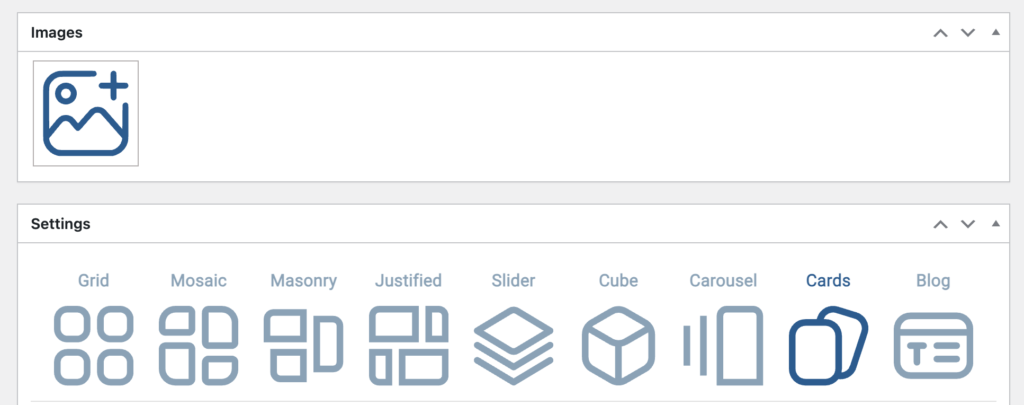
Step 3: Select the Cards Gallery Layout
- Choose from pre-designed Cards templates
- Or Choose Cards as the gallery layout
A live preview will show how the cards gallery looks on the frontend.
Step 4: Customize the Cards Gallery Appearance
Using Re Gallery’s visual controls, you can adjust:
- Spacing between cards
- Image size and proportions
- Show/hide Play/Pause buttons
- Show/hide Navigation buttons
- Choose from 14 Hover effects
- Enable/disable Autoplay
- Choose Image click Action
All customization is visual and beginner-friendly, no CSS or code required.
Step 5: Responsive Cards Gallery for Mobile
Cards galleries created with Re Gallery WordPress Photo Gallery Plugin are fully responsive by default and adapt automatically to desktop, tablet, and mobile screens.
Step 6: Add the Cards Gallery to a Page or Post
Once your gallery is ready:
- Click Save
- Insert the gallery using:
- Re Gallery Gutenberg block
- Re Gallery Elementor widget
- Any supported WordPress page builder
- Re Gallery Gutenberg block
- Or add the gallery via shortcode
The Cards Gallery will appear instantly on the frontend.
Why Choose Re Gallery for Cards Galleries in WordPress?
- Built specifically for WordPress
- Performance-optimized and fast-loading
- Clean, modern gallery layouts
- Easy-to-use interface
- Fully compatible with Gutenberg, Elementor, and page builders
Re Gallery focuses on structured image presentation without unnecessary complexity.
Final Thoughts
A Cards Gallery is an excellent solution for organizing images in a modern and structured layout. With Re Gallery WordPress Photo Gallery Plugin, WordPress users can create a responsive and visually polished cards gallery in just a few steps.
Creators Who Trust Re Gallery:
https://jobangles.co.za/ring-sizing-guide/
https://alaoproductions.com/
https://tashlacreaciones.com/que-hacemos/
https://volgadom63.ru/landingpage/postoenie-doma/
https://dietologkorobova.ru/