
If you’re looking for the best AI WordPress gallery plugin for travel blogs, you’re already thinking about this the right way. Travel content lives and dies by its visuals — and the plugin you choose determines how much time you spend managing images versus actually creating content.
Most gallery plugins make you do the heavy lifting manually. Upload images one by one. Write alt text for every photo. Configure layouts from scratch. For a travel blogger publishing destination posts with 40, 60, or 100+ images, that’s hours of work that has nothing to do with writing.
Re Gallery changes that. It’s built with AI automation at its core — automatically generating alt text, titles, and SEO metadata for every image you upload. This guide shows you exactly what it does, how it compares to other plugins, and how to set up a travel blog gallery that looks great and ranks on Google.

Why Travel Bloggers Need an AI WordPress Gallery Plugin
Travel posts are image-heavy by nature. A single destination post might include landscape shots, food photography, accommodation photos, and street scenes — all mixed formats, all needing proper metadata to rank in Google Image Search.
Google Image Search sends real discovery traffic to travel content. Travelers search for photos of specific hotels, beaches, temples, and cities before they visit. Without descriptive alt text on every image, your gallery is invisible to that traffic stream.
Writing alt text manually for 80 photos from a single trip takes 60–90 minutes. Multiply that across monthly publishing and you have a serious time problem. An AI WordPress gallery plugin for travel blogs solves it at the source — the moment images are uploaded.
Here’s what travel blog galleries specifically need:
- AI-generated alt text and captions — SEO-ready from the moment images are uploaded
- Multiple layout options — mosaic for mixed shots, masonry for portraits, sliders for hero images
- Mobile-first responsive design — over 60% of travel content is read on mobile
- Fast load times — image-heavy posts are killed by slow gallery plugins
- Pre-designed templates — so you’re not building from a blank canvas every time
Re Gallery checks every single one of those boxes. Let’s look at how.
Step 1: Install Re Gallery and Upload Your Travel Photos
Installing Re Gallery takes about 60 seconds.
Go to your WordPress dashboard, click Plugins > Add New, search “Re Gallery“, and install. The free version is available directly on WordPress.org.
Once activated, click Re Gallery > Add New Gallery. Upload your photos using the drag-and-drop interface — you can bulk upload your entire trip folder at once. Re Gallery uses the native WordPress media library, so there’s no separate database to manage, no conflicts, and no migration headaches.
That last point matters more than it sounds. Plugins like NextGEN Gallery create their own separate database tables — which causes compatibility issues, makes backups more complex, and creates problems when you eventually switch plugins. Re Gallery works natively with WordPress. Clean and simple.
Step 2: Let AI Write Your Alt Text and Captions (This Is the Big One)
Here’s where Re Gallery pulls ahead of every other gallery plugin on the market.
Once your images are uploaded, click the AI Captions button. Re Gallery’s built-in AI reads each image and automatically generates:
- A descriptive image title
- A full image description
- SEO-optimized alt text
For a gallery of 50 travel photos, that’s 150 pieces of metadata — generated in seconds instead of hours. Every caption can be edited individually if you want to add your own voice, but the hard work is already done.
Why does this matter for travel blogs specifically? Google Image Search drives significant discovery traffic in the travel niche. Travelers search for photos of specific destinations, hotels, and attractions. Without alt text, your images are invisible to that traffic. With Re Gallery, every image is automatically optimized — no extra SEO plugin required.
Compare that to the alternatives:
- FooGallery: no built-in AI features. Alt text is written manually, every time.
- Modula: has surface-level AI metadata in some plans, but not the depth of Re Gallery’s automatic generation.
- NextGEN Gallery: no AI features at all.
- Envira Gallery: no built-in AI tools. You’ll need a separate plugin for automated image SEO.
Re Gallery is currently the only WordPress gallery plugin that automatically generates alt text, titles, and descriptions from the image itself — no extra plugins, no manual typing.
Step 3: Choose the Right Layout for Travel Content
Travel photography is diverse. A single post might include wide landscape shots from a mountain hike, close-up street food portraits, vertical hotel room photos, and panoramic sunset images. One layout doesn’t fit all of that well.
Re Gallery offers 9 layout options, all responsive and mobile-optimized. Here’s how to use them for travel content:
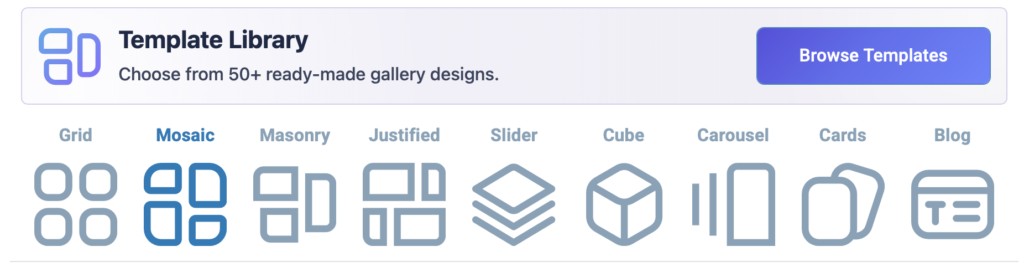
Mosaic — Best for mixed-size travel shots
Creates a magazine-style collage that handles landscape and portrait images together beautifully. Perfect for destination recap posts where you have a genuine variety of shot types from one trip.
Masonry — Best for portrait-heavy galleries
The Pinterest-style flowing layout. Ideal for street photography, architecture shots, or waterfall photos where most images are vertical. Adapts naturally to different heights without cropping.
Slider — Best for featured destination galleries
Use the slider layout for a curated set of 8–15 hero images at the top of a destination post. It focuses attention on one image at a time, creating an immersive experience. Great for “Best of Bali” or “Top 10 Views from Nepal” style posts.
Justified — Best for clean, consistent galleries
Justified aligns all images into even rows with consistent height — like a photo book. If you want a polished, organized feel for a travel photography portfolio or a luxury hotel review, this layout delivers it.
Blog Layout — Best for storytelling galleries
The Blog layout combines images with text blocks — perfect if you want to narrate a travel story alongside your photos. Think day-by-day itinerary posts or “A Week in Portugal” style content.
Step 4: Start with a Pre-Designed Template (Skip the Blank Canvas)
One of the fastest ways to create a professional-looking travel gallery is to start from one of Re Gallery’s 50+ pre-designed templates.
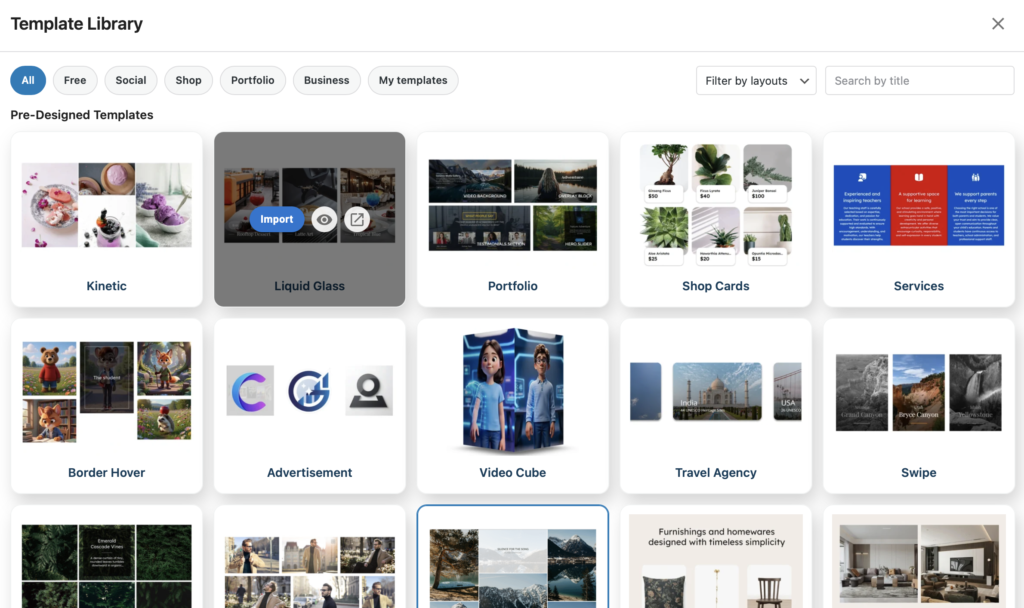
Instead of choosing a layout and then adjusting spacing, hover effects, lightbox settings, and card styles from scratch, you pick a template that already works — and customize from there. Each template is fully responsive and built for real use cases, not just demos.
For travel blogs, some immediately useful templates include:
- Modern — clean, high-contrast layout ideal for photography-first posts
- Dynamic — a bold masonry style that works for adventure travel content
- Chaos — an asymmetric layout that gives an organic, authentic feel
- Prism Pattern — a structured, magazine-style template for destination roundups
Templates are a Pro feature, but seeing them in action is enough to understand the value. A gallery that would take 45 minutes to configure manually takes about 90 seconds from a template.
Step 5: Use Real-Time Preview to Get It Right Before You Publish
Re Gallery’s Real-Time Preview is exactly what it sounds like: every setting you change updates the gallery preview instantly, without saving and refreshing.
For travel bloggers, this is practical. You can try the masonry layout, switch to mosaic, compare spacing options, test hover effects, and toggle the lightbox on and off — all before committing. You see exactly what your readers will see.
FooGallery offers live preview inside the Gutenberg editor, which is useful. But Re Gallery’s real-time preview works across all supported page builders — Gutenberg, Elementor, Divi, Beaver Builder, Bricks, and WPBakery — so you’re not locked into one editor.
Performance: Why a Fast Gallery Matters for Travel SEO
Travel posts are image-heavy by nature. A gallery of 40 photos from a destination post can easily kill your page speed if the plugin isn’t built for performance.
Re Gallery is built on React.js, engineered for lightweight performance. It loads only what’s needed, improves Core Web Vitals scores, and supports lazy loading so images render as users scroll — not all at once on page load.
Compare this to NextGEN Gallery, which is widely criticized for loading extra scripts and stylesheets on every page, even pages with no gallery. That’s dead weight your travel blog doesn’t need.
Modula offers a SpeedUP extension for performance optimization — but it’s a separate paid add-on. With Re Gallery, performance is built in from day one.
A Real Example: Structuring a Travel Destination Post Gallery
Let’s say you’re writing a post: “10 Days in Japan: A Complete Photo Diary.” Here’s how you’d build the gallery structure in Re Gallery:
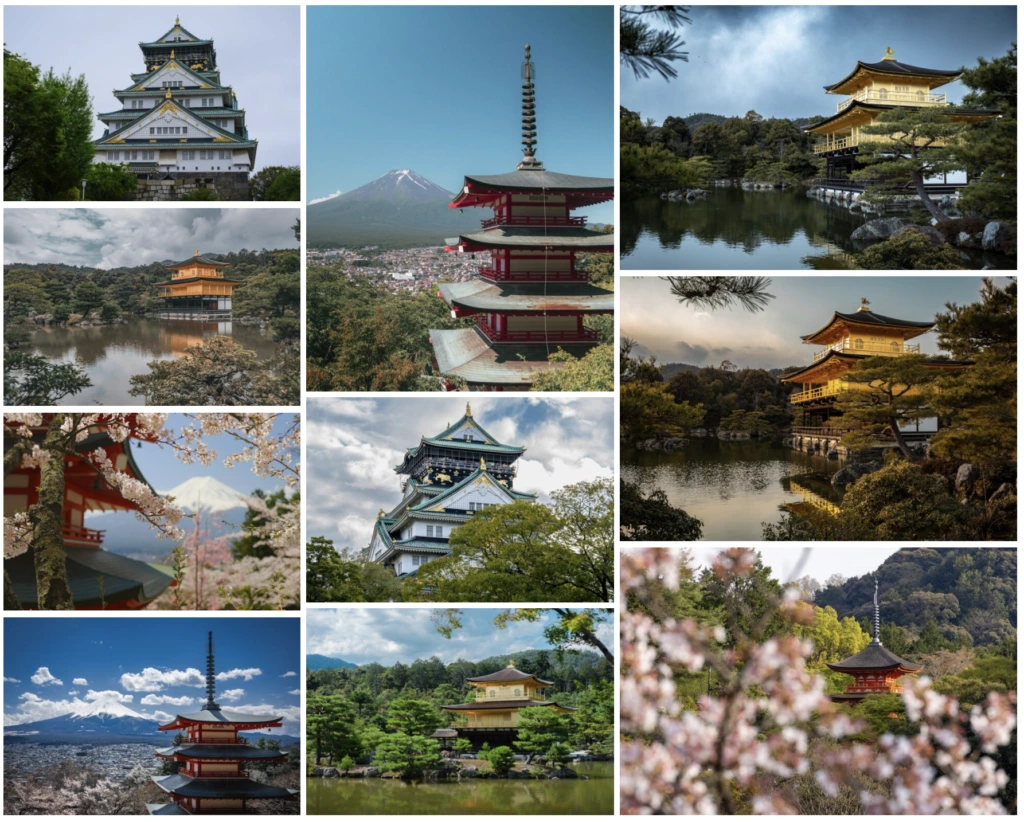
- Hero gallery at the top: Slider layout with 10 of your best Japan shots. AI-generated titles and alt text applied automatically.
- Tokyo section: Mosaic layout, mixed landscape and portrait shots of the city. Pre-designed Modern template applied.
- Kyoto temples section: Justified layout for a clean, symmetric presentation of architecture photography.
- Food section: Cards layout, each dish presented with its AI-generated caption visible beneath.
- Rural countryside: Masonry layout for a flowing display of vertical farm and landscape shots.
Each gallery section took under 5 minutes to set up. AI captions were generated for all images in one click. Total build time: under 30 minutes for a gallery that would have taken 3+ hours manually with any other plugin.
Re Gallery vs. The Alternatives for Travel Bloggers
Let’s be direct about how Re Gallery compares for travel blog use cases specifically:
- FooGallery is fast and well-built, but has no AI features. Every alt text, every caption, written manually. For large travel galleries, that’s a significant ongoing time cost.
- Modula looks stunning and its custom grid is unique — but it’s heavier out of the box, the free version limits you to 20 images per gallery (a deal-breaker for travel content), and its AI features don’t match Re Gallery’s depth.
- NextGEN Gallery has the largest install base but earns a 3.3/5 star rating for a reason. It’s complex, slow, and has no AI features. Many travel bloggers who’ve used it are actively looking for an alternative.
- Envira Gallery is clean and intuitive, but its free version is almost useless for real travel content, and it has no built-in AI tools for image metadata.
For travel bloggers who publish image-heavy content regularly, the AI automation alone makes Re Gallery Pro worth it. The time saved across a single busy travel month pays for the annual plan.
Pricing: What You Get Free vs. Pro
Re Gallery’s free version (available on WordPress.org) is genuinely useful — not a crippled demo. You get all 9 layouts, mobile optimization, real-time preview, and basic gallery management at no cost.
Re Gallery Pro starts at $29.99/year for a single site. That unlocks:
- AI Automation Tools (alt text, titles, descriptions)
- 50+ Pre-Designed Templates
- WooCommerce Gallery integration (if you sell prints or photo products)
- Watermarking for image protection
- Custom CSS Panel
- 24/7 Pro Support
For a travel blogger publishing regularly, $29.99/year to automate image SEO across hundreds of photos is an easy decision.
Start Building Your Travel Gallery Today
Building a beautiful, fast, SEO-ready travel gallery doesn’t have to take hours. With Re Gallery, you upload your photos, let AI handle the metadata, pick a layout or template that fits your content, and publish.
That’s the workflow. Simple, fast, and built for photographers and travel bloggers who want to spend time creating content — not configuring plugins.
Install Re Gallery free from WordPress.org, or explore Re Gallery Pro to unlock AI tools, 50+ templates, and everything your travel blog needs to rank and convert.