
If you’re looking for a responsive gallery plugin for WordPress that combines speed, SEO optimization, and full creative control, Re Gallery is your go-to solution. With a new feature, you can publish a complete gallery that automatically includes every image from all your galleries with one click.
Whether you’re a photographer, blogger, or WordPress designer, this guide walks you through how to use Re Gallery’s latest update and make the most of its advanced layout and SEO-friendly features.
Step 1: Add Re Gallery to Your Page or Post
From your WordPress dashboard, open or create a new post/page. You can use Re Gallery with any page builder — it’s fully compatible as a:
- Gallery plugin for Elementor
- Gallery plugin for Gutenberg
- WordPress gallery plugin with Divi support
- Gallery plugin for WPBakery and more builders
Once you’re in the editor, click the “+” icon or type ReGallery to add the block.
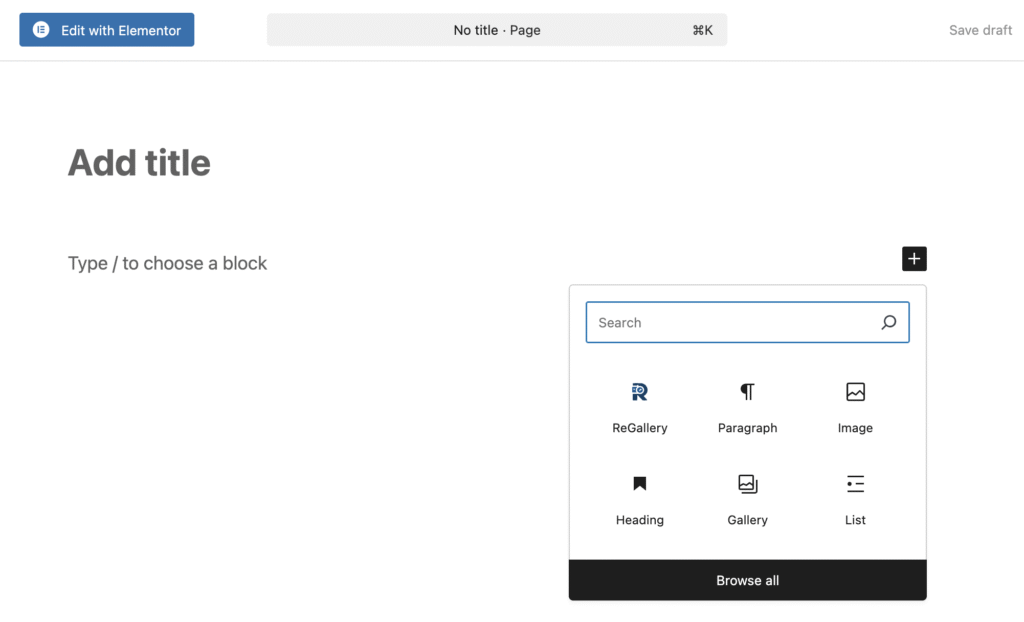
Step 2: Create or Select a Gallery
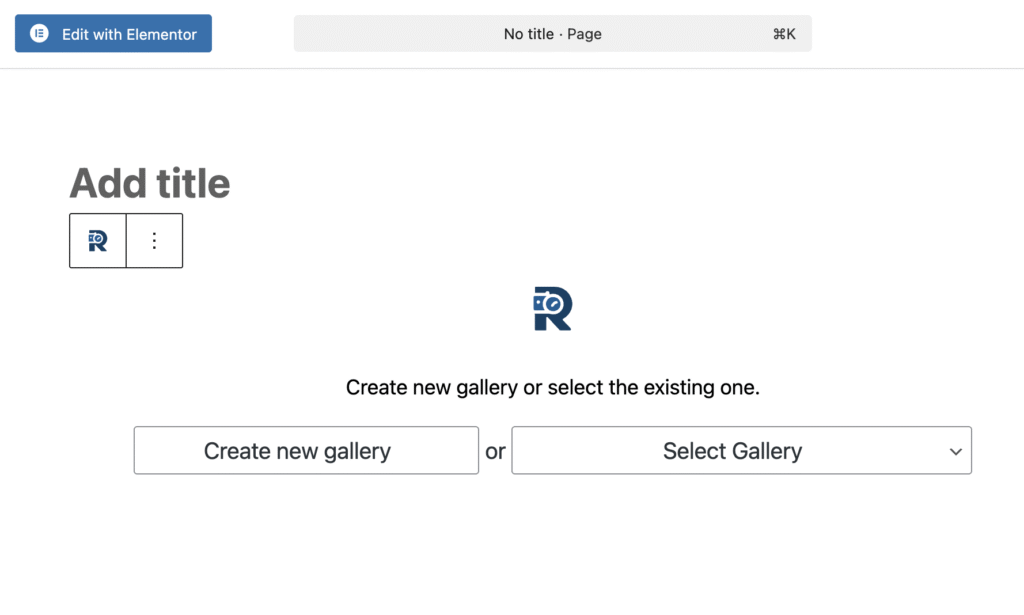
After inserting the Re Gallery block, you’ll see two options:
- Create new gallery
- Select Gallery
Click Select Gallery.
Step 3: Choose “All Images”
In the Select Gallery dropdown, pick All Images — this automatically adds every image from your galleries.
It’s the perfect option if you want to showcase your full portfolio or media collection all in one place.
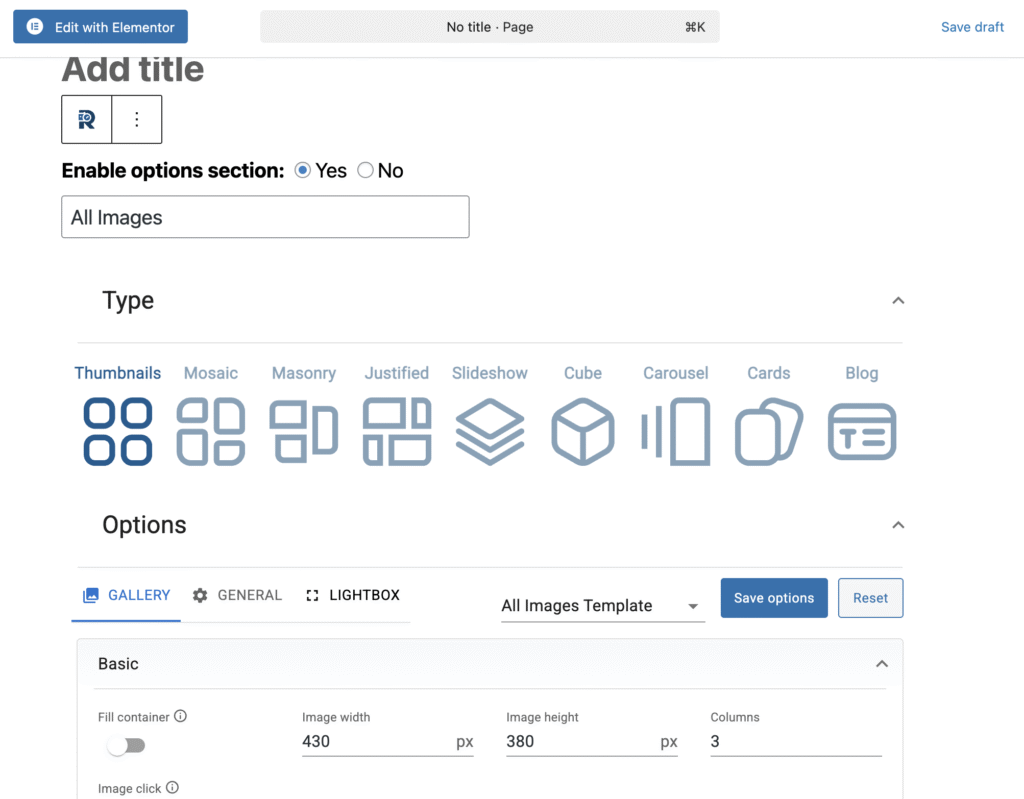
Step 4: Customize Your Layout
Re Gallery gives you multiple layout options, making it one of the most feature-rich WordPress photo gallery plugins available. Choose from any layout:
- Thumbnails
- Mosaic
- Masonry
- Justified
- Slideshow
- Cube
- Carousel
- Cards
- Blog
Each layout is responsive, SEO-optimized, and crafted for fast loading performance — ideal for both mobile and desktop views.
Step 5: Optimize and Publish
Re Gallery isn’t just beautiful — it’s built for performance and ranking.
You can enable features like:
- AI captions to automatically generate alt text
- Lightbox for interactive full-screen previews
- Watermark for protecting and securing your images
- WooCommerce integration for product image galleries
- SEO-friendly metadata for better visibility
Once customized, click Publish — and your all-image gallery is live!
Watch our how-to video for a step-by-step guide!

Why Re Gallery Stands Out
Re Gallery is consistently rated among the best WordPress gallery plugins of 2025, and for good reason:
- It’s a free gallery plugin for WordPress with premium-level flexibility.
- It integrates seamlessly with any page builder.
- It delivers fast, responsive, SEO-optimized image galleries that help your website perform and rank better.
Whether you’re setting up a portfolio gallery for WordPress, a photographer’s image gallery, or just looking for a WordPress gallery tutorial to simplify your workflow — Re Gallery makes it effortless.
Final Thoughts
Creating an “All Images” gallery in WordPress has never been easier.
With Re Gallery, you get a gallery plugin setup guide for WordPress built right into your workflow, no coding, no manual uploads, just seamless visual results.
If you’re comparing options like Re Gallery vs other photo gallery plugin, or exploring the best WordPress gallery plugins compared, give Re Gallery a try. You’ll quickly see why it’s one of the most advanced and SEO-friendly image gallery plugins available today.